Your network.
At a glance.
A little clarity, right in your menu bar. See what’s coming in, what’s going out, and how your Mac is connected.
Free to use macOS 14 or later
Always in viewLive speeds in your menu bar
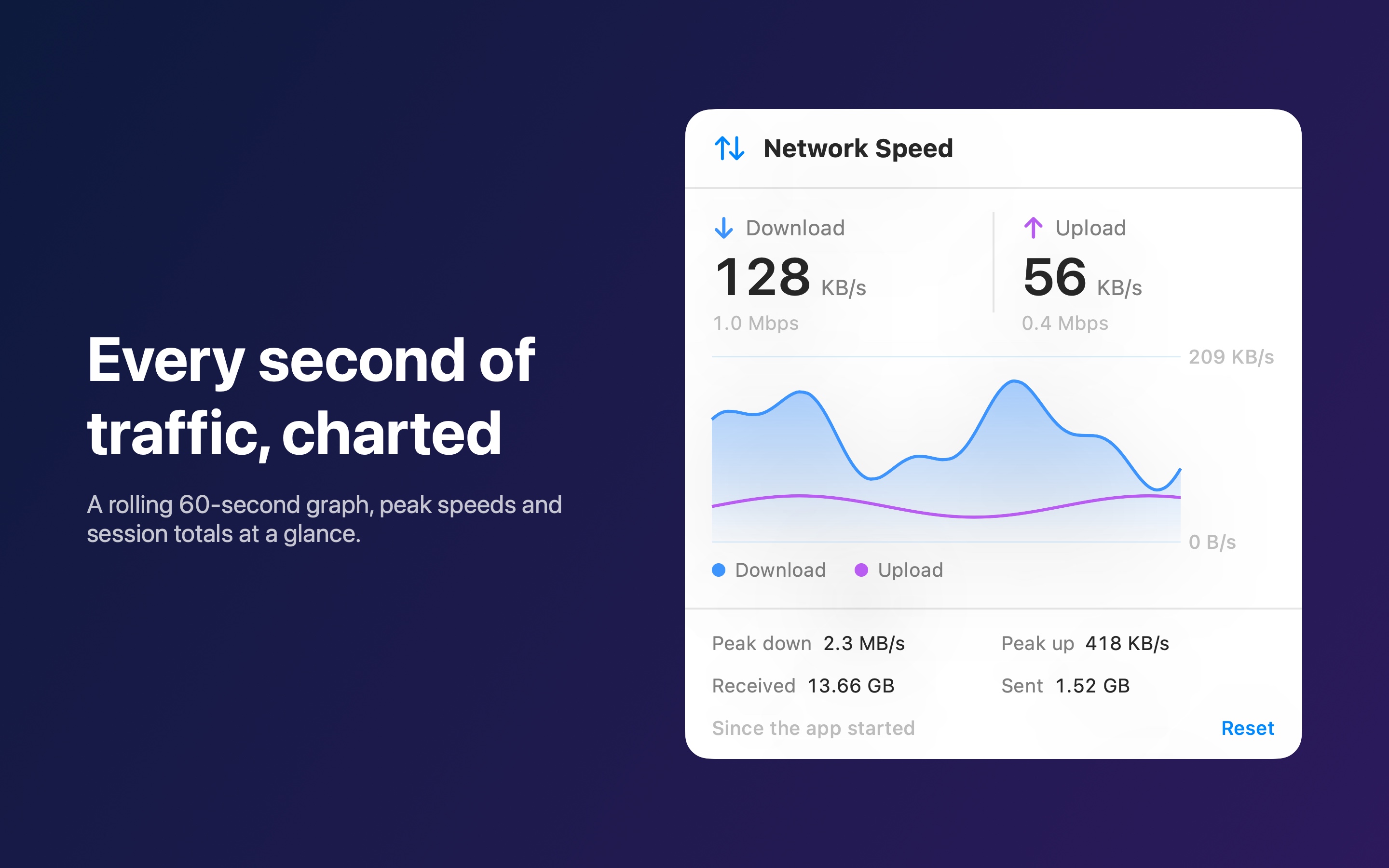
Every second countsTraffic updates once a second
Right at homeA lightweight, native Mac app
A SMALL APP. A CLEARER PICTURE.
The details you need.
One click away.
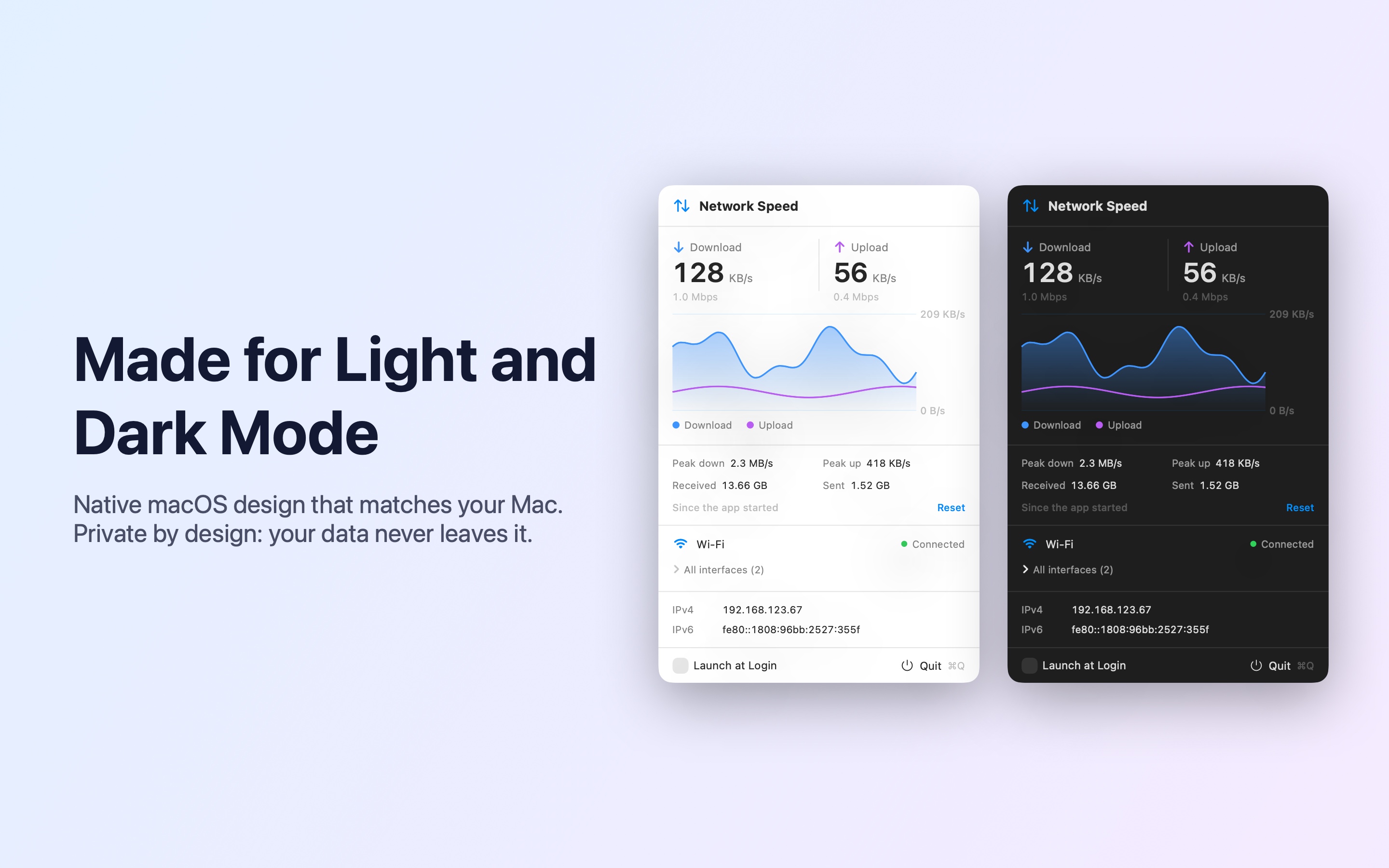
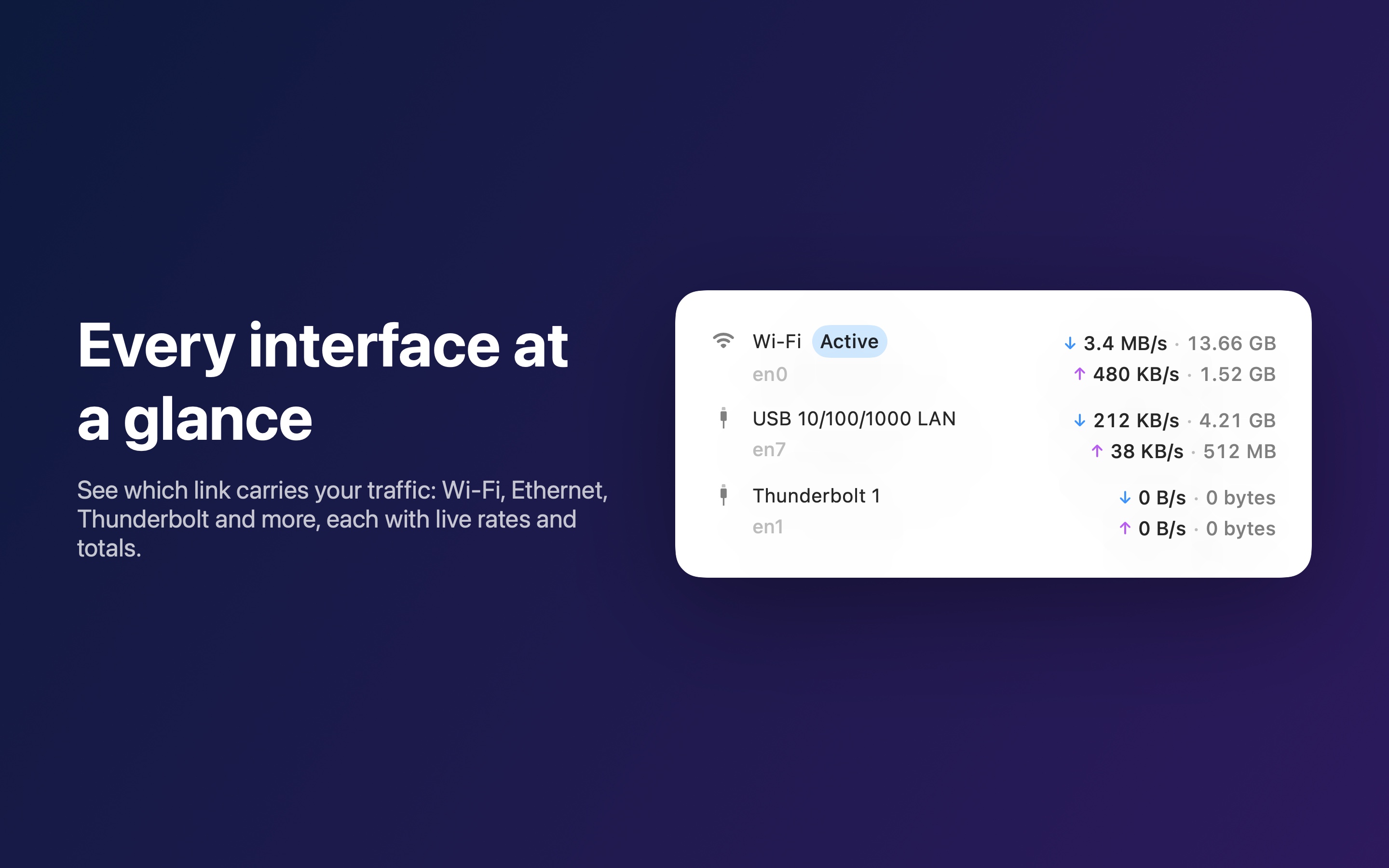
Click your menu bar readout to see the whole picture. Close it, and get back to what you were doing.
YOUR MAC. YOUR DATA.
What happens on your Mac,
stays on your Mac.
NetStat reads traffic counters directly from macOS. It never inspects your traffic or makes network connections of its own.
Read the privacy policyNo data collected.Your network activity stays on your device.
No tracking. No analytics.No advertising or third-party SDKs.
No account needed.Download, open, and you’re ready.
Is NetStat really free?
Yes. Every feature is free, with no ads, in-app purchases, or subscriptions.
Which Macs does it work with?
NetStat requires macOS 14 Sonoma or later. Get it directly from the Mac App Store.
Does it test my internet speed?
NetStat shows the data your Mac is sending and receiving right now. It doesn’t run speed tests. When your Mac is idle, low numbers are normal.
Where is NetStat after I open it?
Look in your Mac’s menu bar. NetStat lives there, with no Dock icon. Click its readout to open the details panel. You can also turn on Launch at Login in the panel.

LESS GUESSING. MORE KNOWING.
Meet your new menu bar essential.
One small app. A little more peace of mind.
Get NetStat for Mac Free macOS 14 or later Available on the Mac App Store